See Who Wrote What—Without Leaving the Page
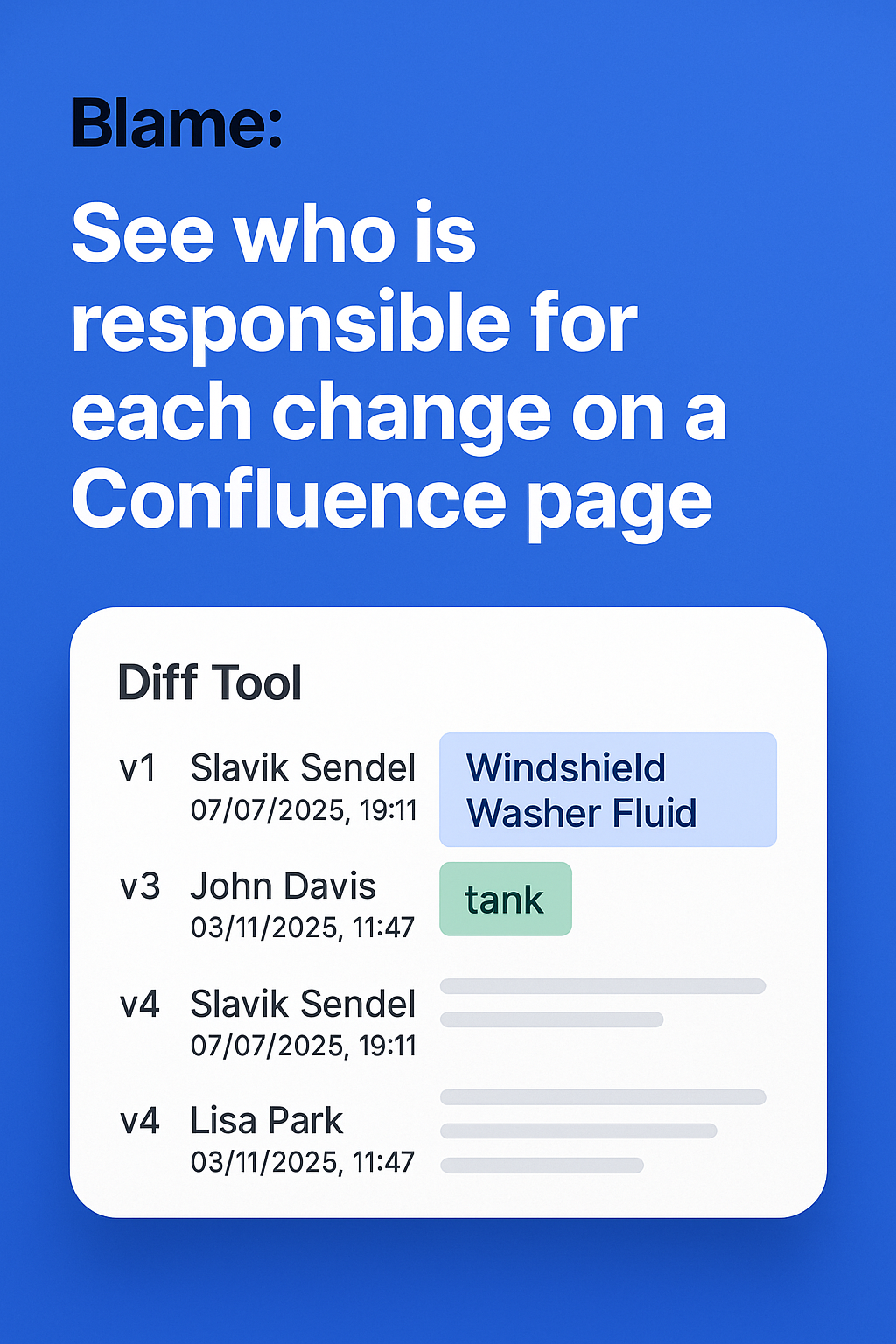
One-click authorship tracking for every Confluence and Jira page. Like Git Blame for your wiki. No digging through version history, no wasted time.
✓ Free 30-day trial • No credit card required • Works instantly
Used by compliance teams and documentation managers worldwide • Zero configuration required

Tracking Authorship Shouldn't Require Detective Work
Your team wastes 30+ minutes per day hunting through version history to find who wrote what.
❌ Version history is slow
Click through dozens of versions comparing diffs manually—takes forever.
❌ Compliance is painful
Auditors ask who wrote a section—you spend hours reconstructing history.
❌ Finding experts is hard
Need to update a section but can't quickly find the original author.
One Click. Instant Clarity.
Just Blame brings Git-style authorship tracking to Confluence and Jira. See who wrote every section, when they wrote it, and how the page evolved—all inline, color-coded, and instant.
The Impact
Simple. Powerful. Instant.
Inline Attribution
See author names and timestamps directly on page content—no digging required.
Color-Coded Clarity
Each contributor gets a unique color—scan the page and see who wrote what instantly.
Granular Tracking
Track authorship at paragraph, heading, table, and section level—precise and detailed.
One-Click Activation
Toggle blame view on/off instantly—works on every Confluence and Jira page.
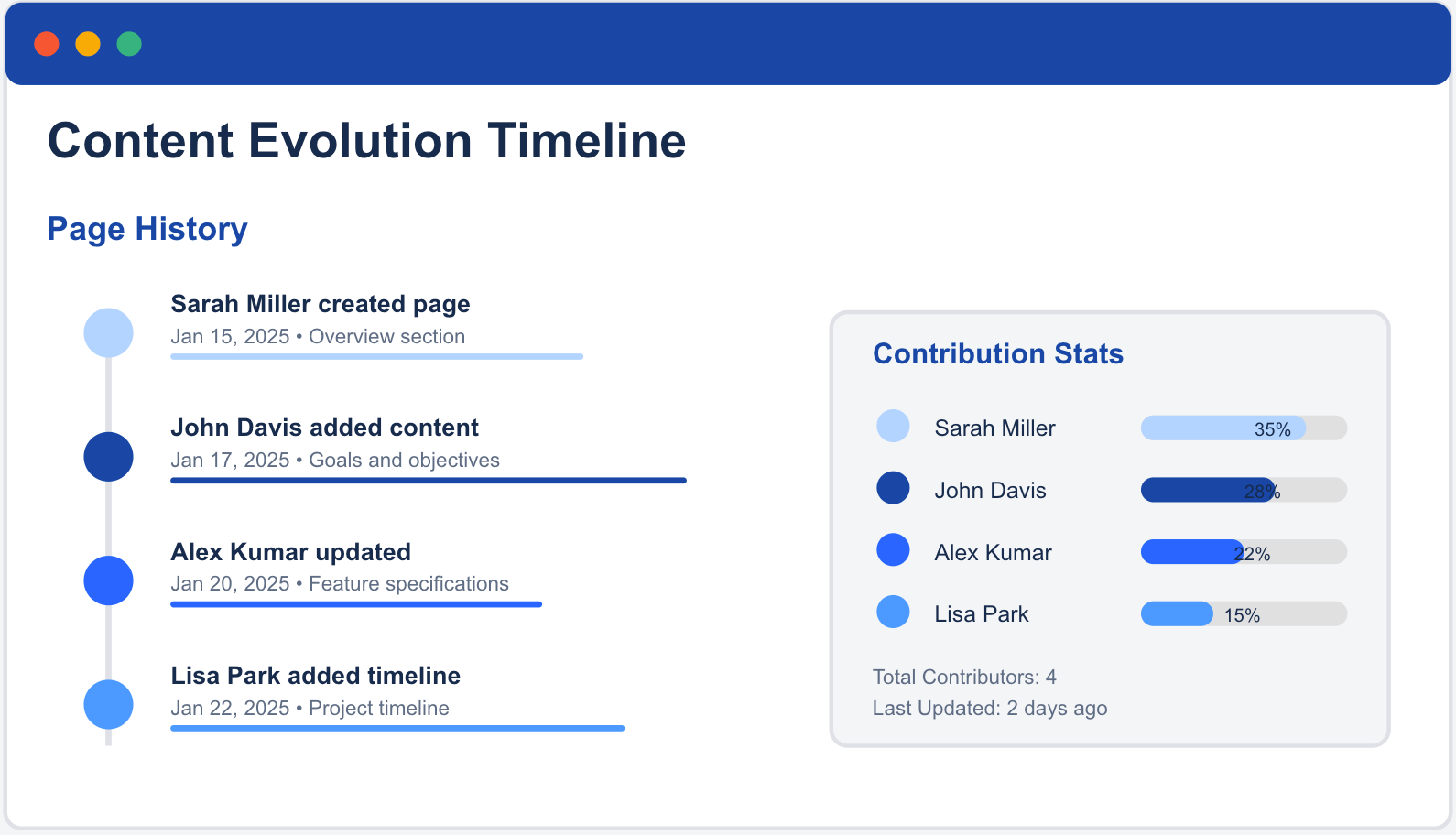
Timeline View
See how pages evolved over time—full history with contributor details and edit dates.
Zero Configuration
Install and start using immediately—no setup, no admin work, just instant results.
Who It's For
- Compliance teams who need to track who created or modified content.
- Documentation managers who maintain accountability across large teams.
- Content teams who need to find subject matter experts quickly.
- Project managers who want to recognize team contributions fairly.
- New team members looking to identify knowledge owners.
Why Teams Choose Just Blame
⏱️ Save 2.5+ Hours/Week
Eliminate manual version comparisons—get instant authorship information.
✓ Instant Compliance
Audit-ready attribution trails with full history and timestamps.
🚀 Faster Onboarding
New team members instantly find knowledge owners and subject experts.
🏆 Fair Recognition
Transparent attribution ensures every contributor gets proper credit.
🔐 Secure & Private
Respects all Confluence and Jira permissions—your security is intact.
⚙️ Zero Maintenance
Install once, works forever—no configuration, updates, or admin overhead.
Start Tracking Authorship in 60 Seconds
Install Just Blame and see who wrote what—instantly.
Choose your platform to get started:
📄 Confluence
Install Just History Blame✓ Install in 60 seconds • ✓ 30-day free trial • ✓ Zero configuration required
Questions? Check our FAQ or contact support